Most displays include color gamut controls, often referred to as a Color Management System (CMS). Ideally, each primary and secondary color provides adjustment for the following parameters:
- Saturation
- Sometimes called: Color, Chroma, Color Level, Color Depth
- Hue
- Sometimes called: Tint, Tone, Phase
- Luminance
- Sometimes called: Brightness, Lightness, Luma, Intensity
Some displays provide the same level of control by allowing individual Red, Green, and Blue adjustments for each primary and secondary color. This is commonly referred to as a 6-axis CMS or 3D CMS.
Manual CMS calibration can be time-consuming. When available, Calman AutoCal is recommended for supported models.
Understanding CMS Errors
Overall Errors
Color errors are typically expressed as deltaE (dE) values such as dE2000 or dEITP/BT.2124. The overall dE value indicates how far the measured color is from the target. However, it does not identify which component of the color needs to be corrected.
Error Breakdown
Calman displays detailed error information in the RGB Balance chart and the Delta L, C, and H charts. These identify which aspect of the color (luminance, chroma/color/saturation, or hue) is causing the deviation from the target.
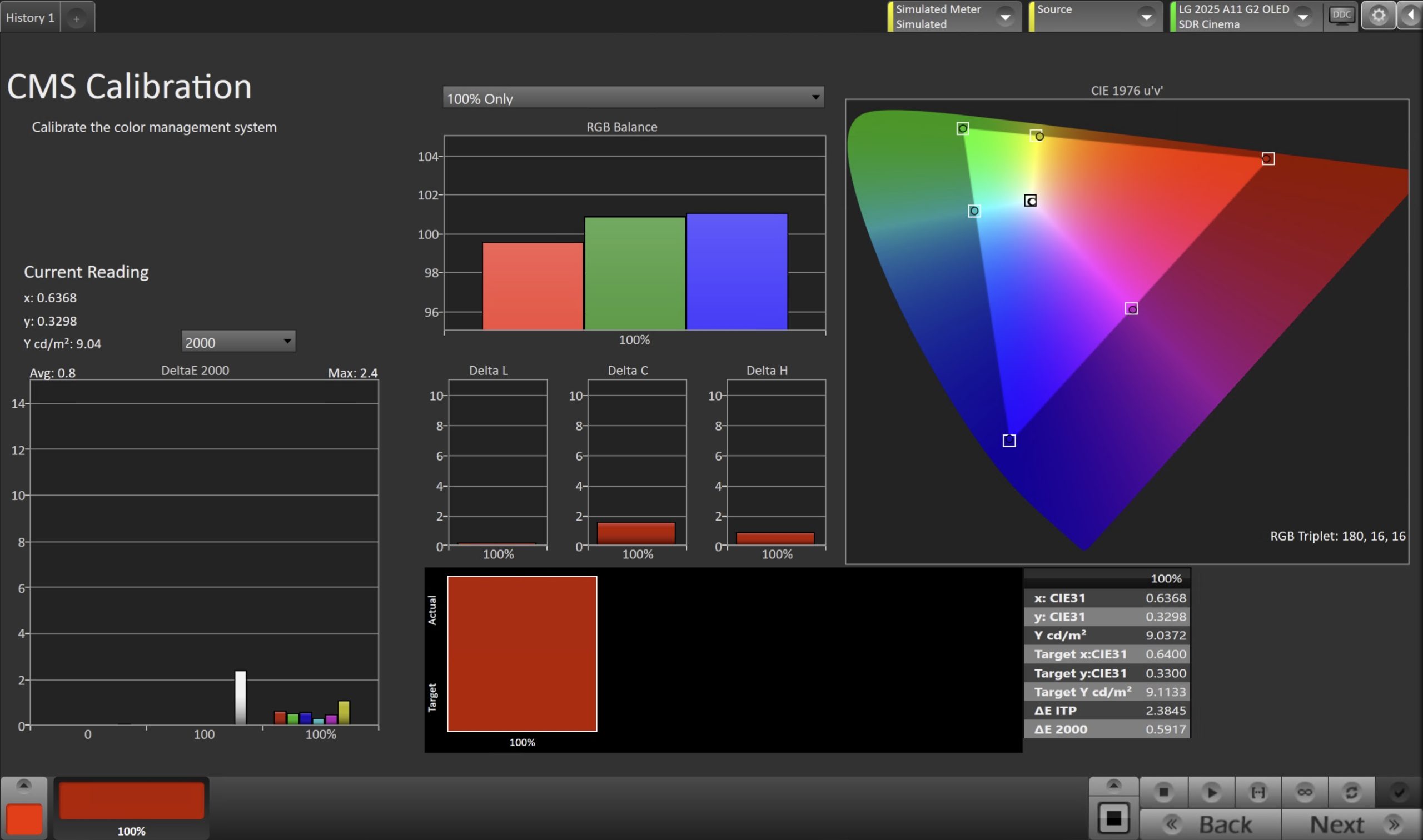
Calibration
- Prepare the Meter and Test Pattern Source
- Confirm that the meter and pattern source are properly configured in Calman and connected to the display.
- Measure and Adjust
- Use the Pattern Selector in the lower-left corner of Calman to select the Red primary.
- Click Read Continuous to begin live measurements.
- For HSL-Based CMS Controls
- Use the Delta L, C, and H charts to guide adjustments.
- Adjust Luminance first.
- Adjust Chroma/Saturation second.
- Adjust Hue last.
- For RGB or Six-Axis CMS Controls
- Use the RGB Balance chart to align the Red, Green, and Blue channels to the 100 target line.
- Adjust Red first.
- Adjust Blue second.
- Adjust Green last if required.
- For HSL-Based CMS Controls
- Repeat these steps for the Green and Blue primaries, and for Cyan, Magenta, and Yellow if the display provides secondary controls.
- Verify
- Click Read Series to measure the final CMS results and confirm that the calibrated values fall within the expected tolerance.