
This article explains how to connect a measurement device, colorimeter, or spectroradiometer to Calman for display measurement and calibration. Once connected, Calman can communicate directly with the meter to collect luminance and color data, enabling accurate measurements and reliable calibration workflows across SDR, HDR, and Dolby Vision displays.
To connect a supported measurement device:
- Connect your color meter to the computer running Calman.
- Open the Meter Settings tab and click Find Meter.
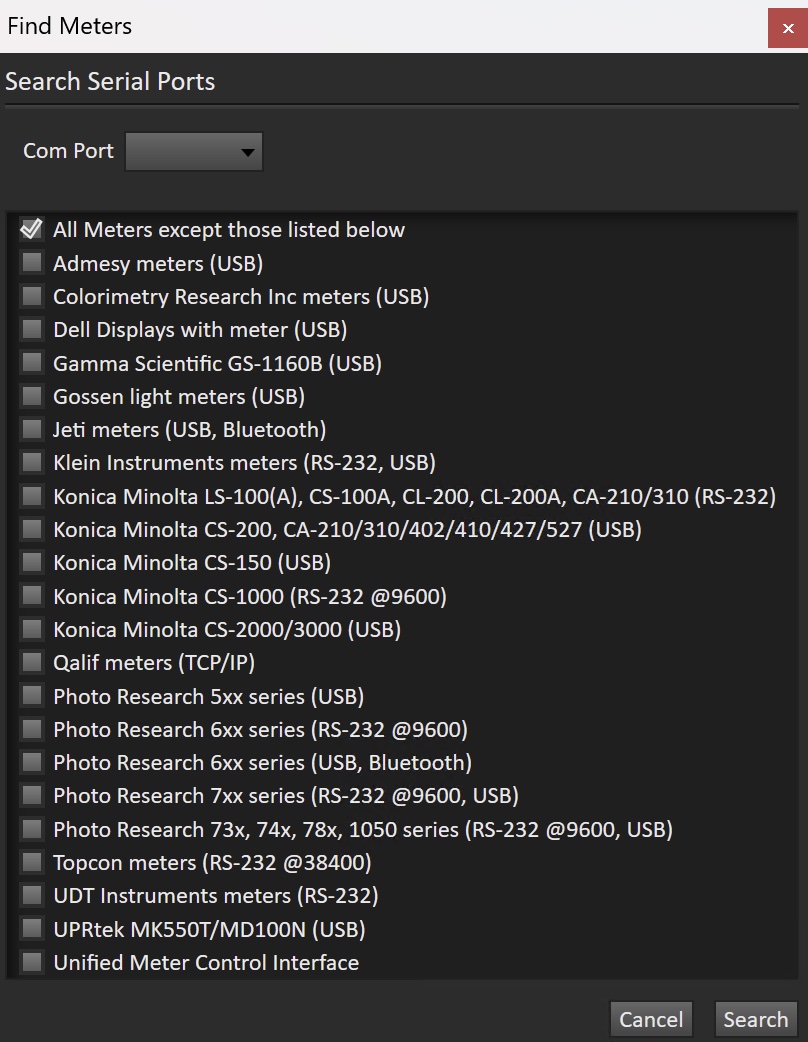
- In the Find Meters dialog:
- If your meter is listed, select it and click Search.
- If your meter is not listed, select “All Meters except those listed below” and click Search.
- On the Meter Settings tab, select the appropriate Meter Mode from the drop-down:
- For a colorimeter, choose a mode suitable for the display type being calibrated.
- For a spectrophotometer, no special selection is required.