An FTDI-based USB-to-serial adapter is recommended when connecting Calman to RS-232–controlled devices. Through extensive testing, FTDI adapters have proven to be the most reliable option for Calman device control thanks to their built-in data buffering and consistent communication performance.
Purchase Options
- Several versions of the FTDI USB-Serial Adapter are available for purchase this FTDI product page
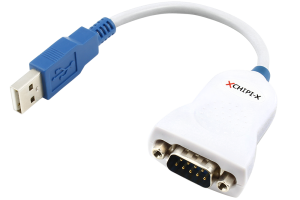
FTDI CHIPI-X10 USB-Serial Adapter
- The basic version of the FTDI USB to serial adapter fully supports Calman control of serial hardware devices through a computer USB port.
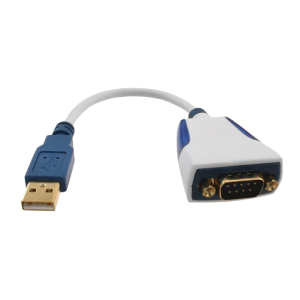
FTDI US232R-10 Premium USB-Serial Adapter
- The premium version of the FTDI USB to serial adapter (pictured below) includes blue, side-lit LED TX and RX traffic indicators for functionality testing.
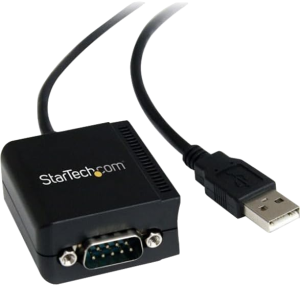
- A version of the FTDI USB-Serial Adapter is also available from StarTech, through Amazon. Additional options available at StarTech.com
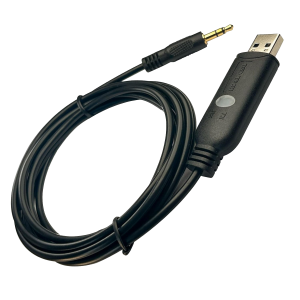
- Samsung uses a proprietary RS-232 connection called Ex-Link. On supported TVs, this port is labeled “Ex-Link” and uses a connector that looks similar to a 3.5 mm audio jack. The adapter shown below can be used to interface with this connection. Available on Amazon.
Device Driver
- When the FTDI driver is installed correctly, the adapter will appear in Device Manager under Universal Serial Bus Controllers as “USB Serial Adapter.”
- The Virtual COM Port (VCP) driver also creates a new COM port, shown under Ports (COM & LPT) as “USB Serial Port (COMx).”
- If the adapter is not visible in either of these sections, the driver has not been installed properly.
- Once installed, Calman can communicate with the device connected through the FTDI adapter just like any standard serial device using the assigned COMx port.