The LG internal pattern generator enables integrated calibration of supported LG OLED and LCD TVs (and select projectors) across SDR, HDR, and Dolby Vision modes. When used with Calman, it provides accurate test patterns directly from the display, simplifying setup and ensuring consistent, reliable calibration results.
Note:HDR and Dolby Vision calibration with the LG internal pattern generator is supported on all LG TVs 2019 and newer. However, Pre- and Post-Calibration measurements for HDR and Dolby Vision still require an external pattern generator, except for HDR measurements on TVs using the A9 or A11 processors. Dolby Vision pre- and post-calibration measurements cannot be performed with the internal generator. Refer to the table below to confirm your model’s supported capabilities. |
Compatible LG TVs:
|
Year |
Processor |
OLED Models |
LCD Models |
|
2025 |
Alpha 9 |
C5, C5A |
QNED9M |
|
|
Alpha 11 |
M5, G5 |
– |
|
2024 |
Alpha 5 |
– |
QNED80, NANO80, UT90, UT80, UT73, LR60 |
|
Alpha 8 |
B4 |
QNED90, QNED85, 86Nano80 |
|
|
Alpha 9 |
C4 |
QNED99 |
|
|
Alpha 11 |
M4, G4 |
– |
|
|
2023 |
Alpha 7 |
A3, B3 |
QNED80, QNED80UQA, QNED90, NANO85, NANO90, NANO91 |
|
Alpha 9 |
C3, G3, M3, R3 |
QNED99, NANO99, NANO97 |
|
|
2022 |
Alpha 9 |
C2, G2, M2, R2, Z2 |
QNED99, NANO99, NANO97 |
|
Alpha 7 |
A2, B2 |
QNED80, QNED80UQA, QNED90, NANO85, NANO90, NANO91 |
|
|
2021 |
Alpha 9 |
C1, G1, M1, R1, Z1 |
QNED99, QNED95, NANO99, NANO95 |
|
Alpha 7 |
A1, B1 |
QNED90, NANO90, NANO85 |
|
|
2020 |
Alpha 9 |
CX, GX, WX, ZX |
NANO99, NANO97, NANO95 |
|
Alpha 7 |
BX |
NANO90, NANO85 |
|
|
2019 |
Alpha 9 |
R9, Z9, W9, W9S, E9, C9 |
NanoCell SM99 |
|
Alpha 7 |
B9 |
NanoCell LCD Models |
Note:To use the internal pattern generator, the display must already be in the correct picture mode (SDR, HDR10, or Dolby Vision). You can switch the display into the required mode by playing content in that format on the active input—for example, an HDR10 or Dolby Vision Blu-ray disc, or the gray screen media files provided below. Right-click and choose “Save As” to download the grey screen media files from the links below… Chrome Users: If you experience download errors, at the top right, click Downloads and choose to Keep the downloaded file. You can load this content onto a USB drive and play it directly on the TV using its built-in media player. |
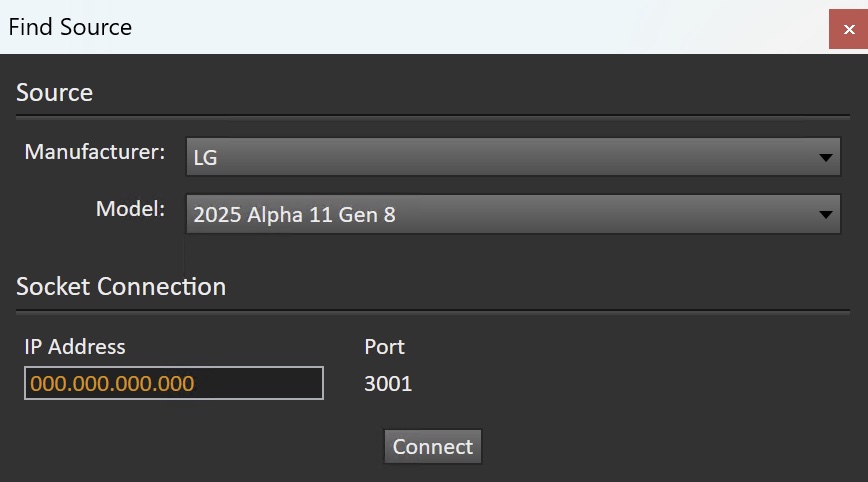
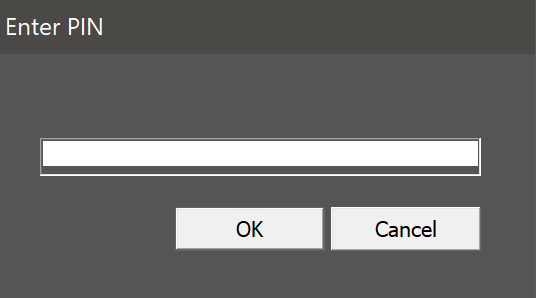
Connect to Your LG TV
|
|
|
Note: You may see a brief pink or green flickering before a test pattern appears when using the LG internal generator. This behavior is normal and results from how the display processes signal changes in the video pipeline. However, this flicker can lead to inaccurate measurements if the pattern is read too quickly. To avoid this, increase the Pattern Delay to more than 1 second, ensuring the pattern has fully rendered and stabilized before measurement. |