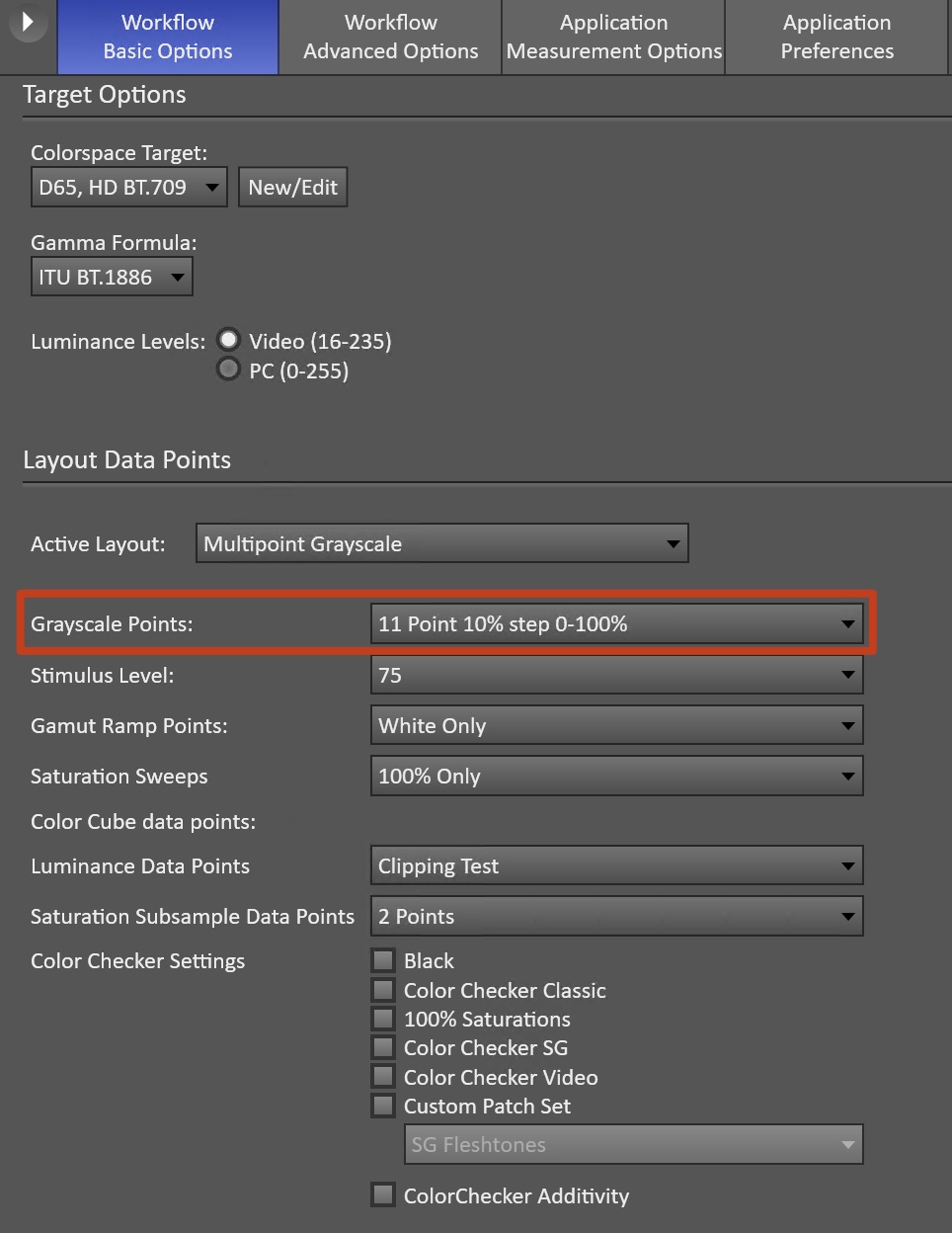
Multipoint grayscale calibration uses a series of white balance controls to correct the display’s red, green, and blue output at multiple brightness levels. Most displays offer either 11-point (10% increments) or 21-point (5% increments) grayscale controls, with independent red, green, and blue adjustments at each point.
Many displays also include a standard 2-point white balance adjustment. It is strongly recommended to complete the 2-point calibration first, as it establishes a stable foundation before fine-tuning with multipoint controls.
Calibrating more points provides finer control and allows you to correct subtle errors across the grayscale range.
|
Note: For multipoint calibration, both RGB Balance charts in Calman must be set to Absolute mode. To switch to Absolute mode:
|
Multipoint Grayscale Calibration Procedure
- Prepare your environment
- Ensure your meter and test pattern source are correctly configured in both Calman and on the display.
- Select the calibration point density
- Go to Calman Settings → Workflow Basic Options → Grayscale Points and choose the appropriate number of points for the display.
- Go to Calman Settings → Workflow Basic Options → Grayscale Points and choose the appropriate number of points for the display.
- Measure initial grayscale tracking
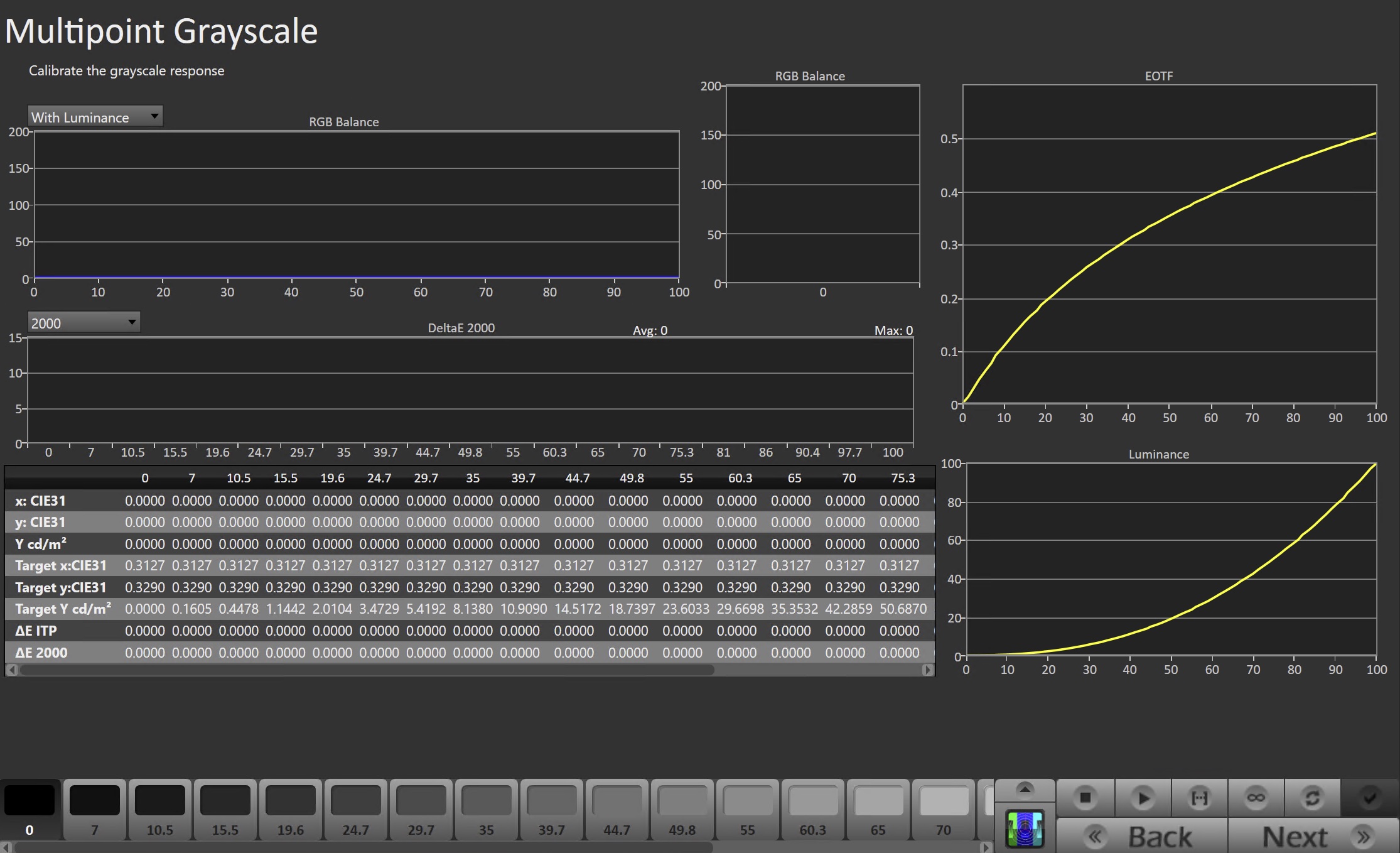
- On the Grayscale Calibration page, click Read Series to capture the display’s current grayscale performance.
- Begin point-by-point calibration
- Use the Pattern Slider at the bottom of Calman to choose the 100% grayscale point.
- Click Read Continuous to begin live measurements.
- On the display, enter its 10- or 11-point white balance controls and select the 100% (100 IRE) adjustment point.
- Adjust the display’s red, green, and blue controls so all three channels align with the 100 target line on the Single Level RGB Balance chart.
-
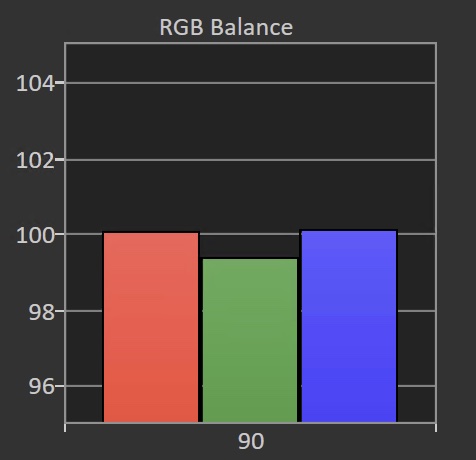
- In this example, the Red and Blue channels may need to be reduced to balance with Green, or Green may be able to be increased to balance, depending on display support.
-
- Repeat for each grayscale level
- Move through the remaining adjustment points (e.g., 95%, 90%, 85%, etc.) and balance RGB at each level until all points track as closely as possible to the 100 target line.
- Verify results
- When all points are adjusted, run another Read Series to evaluate overall grayscale tracking.
- Review the full RGB Balance chart for uniform tracking.
- A DeltaE of 1.0 or lower is typically not visible in real-world viewing.