The Calman Menu, located in the upper-left corner of the interface, provides access to the core controls for your calibration session, including workflow templates, session settings, and reporting tools.
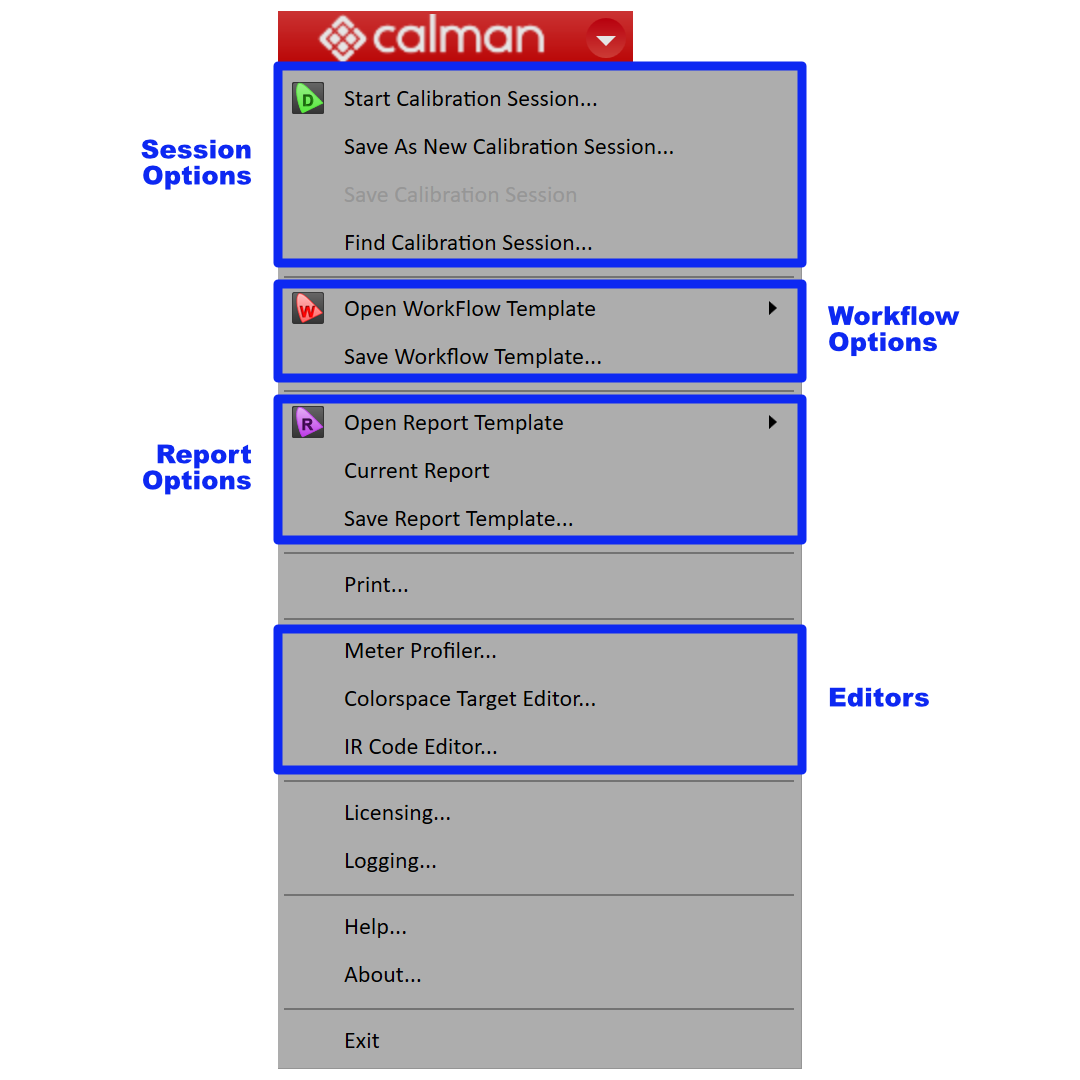
Session Options
- Start Calibration Session
- Opens the New Session dialog, closing the current session and creating a new one.
- Save Calibration Session
- Saves the current calibration session to your chosen location.
- Find Calibration Session
- Opens a browser window to locate previously saved calibration sessions.
Template Options
- Open Workflow Template
- Displays available workflow templates.
- Note: Available templates vary by license level.
- Displays available workflow templates.
- Save Workflow Template
- Saves a copy of the current workflow template.
- Use this to store workflow settings as a new template for tasks you perform frequently.
Report Options
- Open Report Template
- Displays available report templates.
- Note: Available templates vary by license level.
- Displays available report templates.
- Current Report
- Opens the current report.
- Save Report Template
- Saves a modified version of the current report template.
- Print
- Prints the current workflow page.
Editors
- Meter Profiling
- Opens the meter profiling tool.
- See Meter Profiling in Calman.
- Colorspace Target Editor
- Creates custom color space targets.
- IR Code Editor
- Programs a Calman-compatible IR device.
Licensing
- Opens the Calman License Manager.
- See Calman Licensing
Logging
- Opens Logging Options.
Help
- Links to this Knowledge Base.
About
- Opens the About screen, showing software version and related information.
Exit
- Closes Calman. Prompts you to save the current session before exiting.